

Create your account
Signing up for ChatNorris is free and doesn’t require a credit card. Your account is ready in less than two minutes.Steps to sign up
1
Go to the sign-up page
Go to chatnorris.ai/register. On the Create your account screen you can sign up with your email or continue with Google or GitHub.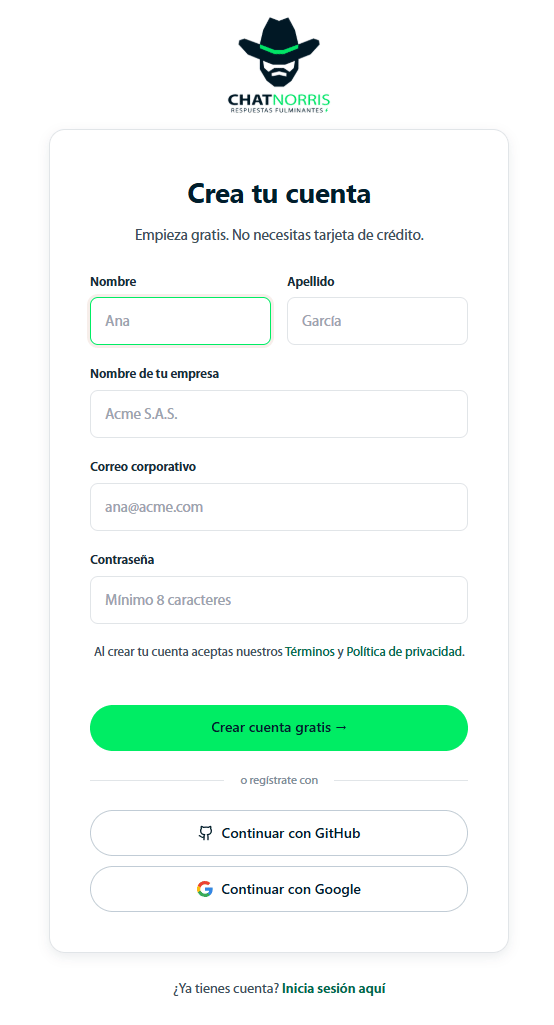
2
Fill in the form
Enter the following details:
- First name and Last name.
- Your company name — identifies your organization (your workspace).
- Work email — the email you’ll sign in with.
- Password — at least 8 characters.
3
Confirm your email address
If you’re asked to confirm your email, you’ll see the notice “Account created. Check your email to confirm it, then sign in.” Open the message we sent you and click the confirmation link.
4
Sign in
Once your email is confirmed, go to chatnorris.ai/login, enter your email and password, and click Sign in.
Sign up with Google or GitHub
On the sign-up page, under or sign up with, choose Continue with Google or Continue with GitHub. After you authorize, ChatNorris asks you for one last step: Your name and Your company name. If you entered a partner code before choosing Google or GitHub, it’s kept for that last step.Already have an account? Sign in
If you already have an account, sign in at chatnorris.ai/login with your email and password, or with Google or GitHub.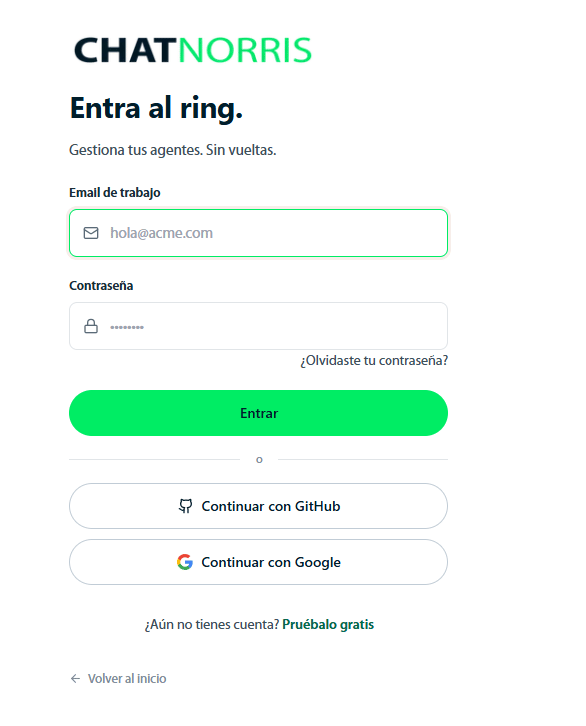
Reset your password
If you forgot your password:1
Go to password recovery
On the login page, click Forgot your password?
2
Enter your email
Type the email you signed up with and click Send recovery link.
3
Check your email
You’ll receive a link to create a new password.
Common sign-up questions
I didn't receive the confirmation email
I didn't receive the confirmation email
Check your spam folder. If it isn’t there either, try signing in: if your email isn’t confirmed, the login page shows the Resend confirmation email button. If the problem persists, write to us at hola@chatnorris.ai.
I forgot to enter the partner code when I signed up
I forgot to enter the partner code when I signed up
You can add it during the first 14 days from Settings → General. See Partner program.
Can I change my account email?
Can I change my account email?
For now, the email can’t be changed from the portal. Write to us at hola@chatnorris.ai and we’ll help you with the change.
Can I have multiple accounts?
Can I have multiple accounts?
Each email corresponds to one account. If you need to work with other people, the most practical option is to invite them to your organization from Settings → Members.
You now have your account. The next step is to create your first agent:
First use — create your first agent
Initial setup in less than 10 minutes.